ARM vs. x86: The Battle of Architectures in 2025


Ten or fifteen years ago, the question “Which processor architecture should I choose for my server?” would have sounded absurd in professional circles. In fact, the answer was obvious, devoid of alternatives, and practically carved in silicon: x86. The duopoly of Intel and AMD reigned supreme over the corporate computing and hosting market. At that time, ARM architecture was associated exclusively with smartphones, tablets, routers, and low-power IoT (Internet of Things) devices. Furthermore, it was considered axiomatic that ARM chips were great for saving battery life but simply “couldn’t handle” serious server workloads like databases or virtualization.
However, in the 2020s, the rules of the game changed forever. First, Apple upended the consumer electronics industry by releasing the M1 chip, visibly proving that ARM architecture could be faster, cooler, and more efficient than top-tier Intel solutions in laptops. Subsequently, this signal was heard loud and clear in data centers. Hyperscalers like AWS (with Graviton processors), Google, and Oracle began a mass migration of their cloud infrastructures to ARM. Additionally, specialized server monsters like Ampere Altra emerged, offering 80, 128, and even 192 cores per single socket.
Consequently, today system administrators, CTOs, and IT business owners face a real, economically driven dilemma: should one migrate to ARM for the sake of energy efficiency and hype, or is it better to stick with the powerful x86 architecture, proven over decades?
In this article, the Unihost team will conduct a deep technical analysis, avoiding marketing clichés. We will explain the difference between RISC and CISC at the instruction level, compare performance in real-world cases (from web hosting to game servers), and help you understand which architecture is better suited for your specific tasks in 2025.
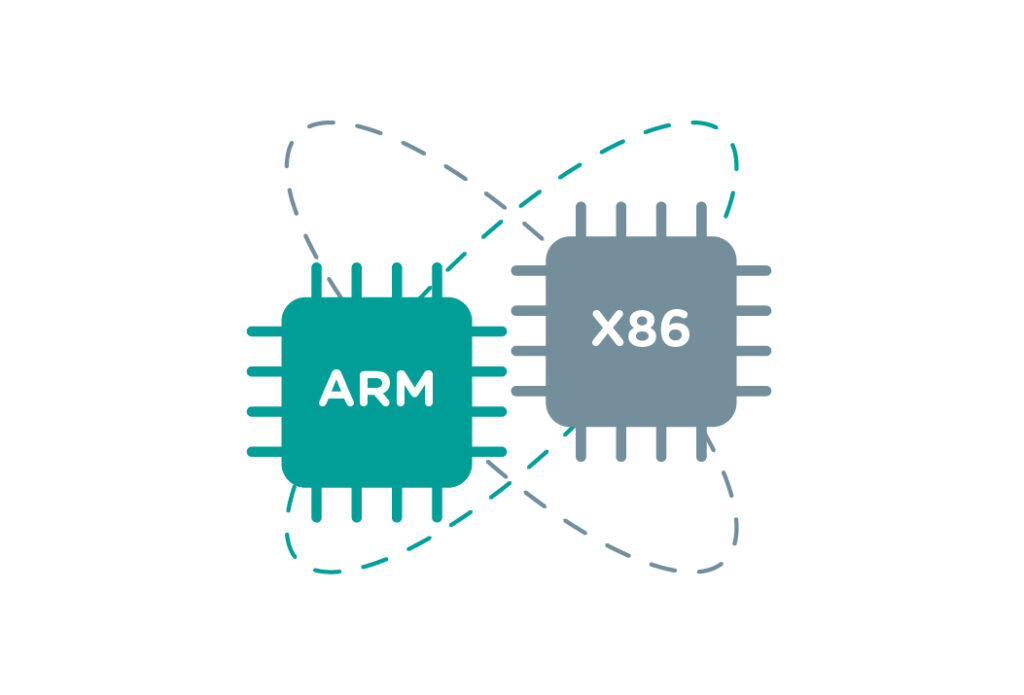
To understand the essence of the dispute, one must descend from the operating system level to the “hardware” level and code execution logic. Fundamentally, at the core of the battle lie two different computing philosophies established back in the 1980s.
x86: The CISC Philosophy (Complex Instruction Set Computing)
This is the architecture used by Intel (Core, Xeon) and AMD (Ryzen, EPYC).
ARM: The RISC Philosophy (Reduced Instruction Set Computing)
In contrast, this architecture is used in mobile chips, Apple Silicon, and Ampere servers.
The growth of ARM’s popularity in the server segment (especially in public clouds) is driven not by fashion, but by dry economics and the physics of data centers.
Energy Efficiency and the “Dark Silicon” Problem
Modern x86 chips have hit a thermal ceiling. Basically, you cannot simply add more Intel Xeon cores without turning the server into a space heater.
ARM solves this problem efficiently. A server-grade ARM processor (e.g., Ampere Altra) consumes 20–40% less energy than an x86 equivalent in performance at 100% load.
For a data center, this results in a Double Win:
Core Density
Moreover, thanks to the simplified architecture (absence of complex decoders), manufacturers can place more physical cores on a single silicon die of the same area. While top-tier Intel/AMD chips offer 64–96 cores, ARM solutions have already stepped beyond 128–192 physical cores per socket.
Thus, for tasks that parallelize perfectly (horizontal scaling), ARM provides better computing density per square meter of rack space.
Predictable Performance
Finally, many server ARM processors run at a fixed frequency (e.g., 3.0 GHz) without aggressive Turbo Boost. This means your server’s performance will be the same day and night, regardless of the hall temperature or the load on neighboring cores (“Noisy Neighbors”).
Reading the chapter above, one might think that the days of Intel Core and AMD Ryzen are numbered. But this is far from the truth. In the High Performance Computing (HPC), gaming, and specific workload segments that Unihost specializes in, the x86 architecture remains the unrivaled leader. Here is why.
This is the “Achilles’ heel” of server ARM processors. They win on the quantity of cores, not the quality of each individual core.
Conversely, Unihost flagships-Intel Core i9-14900K and AMD Ryzen 9 7950X-are capable of boosting up to 5.7–6.0 GHz. Server ARM chips are usually limited to frequencies of 3.0–3.3 GHz.
Vector Instruction Sets (AVX-512)
Additionally, x86 processors support powerful SIMD (Single Instruction, Multiple Data) instruction sets, such as AVX-512. They allow processing huge arrays of data in a single processor clock cycle.
This is critical for:
Ecosystem and Compatibility (The “Legacy” Factor)
Yes, Linux runs great on ARM. But in the world of enterprise software, there are thousands of proprietary applications compiled only for x86_64.
The Unihost team has prepared a detailed comparison for different workload types.
Game Servers (Minecraft, CS2, ARK)
This is one of the most popular request categories at Unihost.
Web Servers and Microservices
Virtualization and VPS Hosting
AI and Machine Learning
One of the main fears when switching is “Will it compile?” In 2025, the situation has improved dramatically, yet pitfalls remain.
The industry does not stand still. Seeing ARM’s success, x86 giants began to adapt.
Accordingly, Intel introduced a hybrid architecture (starting with the 12th generation, Alder Lake): combining powerful P-cores (Performance) and energy-efficient E-cores (Efficient) on a single die.
This is an attempt to take the best of both worlds:
At Unihost, we closely monitor trends and test ARM servers in labs, but we do not succumb to blind marketing hype. Our mission is to provide clients with the hardware that solves their tasks most effectively and reliably right now.
Why We Choose x86
Today, for the profile of tasks our clients face-high-load projects, game servers, financial gateways, blockchain nodes, and universal virtualization-the x86 architecture (Intel Core i9, Xeon, AMD Ryzen, EPYC) remains the absolute benchmark.
That is why we bet on flagship processors of the latest generations:
Final Thoughts
We understand that every project is unique. Switching to a new architecture is a risk. Moreover, staying on an old one when it is inefficient is a loss of money.
Doubt your choice?
Don’t read tea leaves. Write to the Unihost support chat. Our engineers will analyze your technology stack (OS, software, load character) and honestly tell you: will you save by switching, or is it better to take a proven powerful Ryzen?
Ultimately, we don’t sell architectures. We sell performance for your business.


